The Kith Guide › Getting started
🏠 Home Screen
The Workshop front door — find a tool, pin your favourites, and read what changed.
The Home Screen is your launchpad. Modules you have access to are laid out as cards, grouped into collapsible categories (Selling, Crafting, Resources, Designers, Ships, and more). A search box sits at the top, and you can pin your most-used tools to a Favorites row. Modules your account has not been granted will not appear — contact an admin if you need access to something.
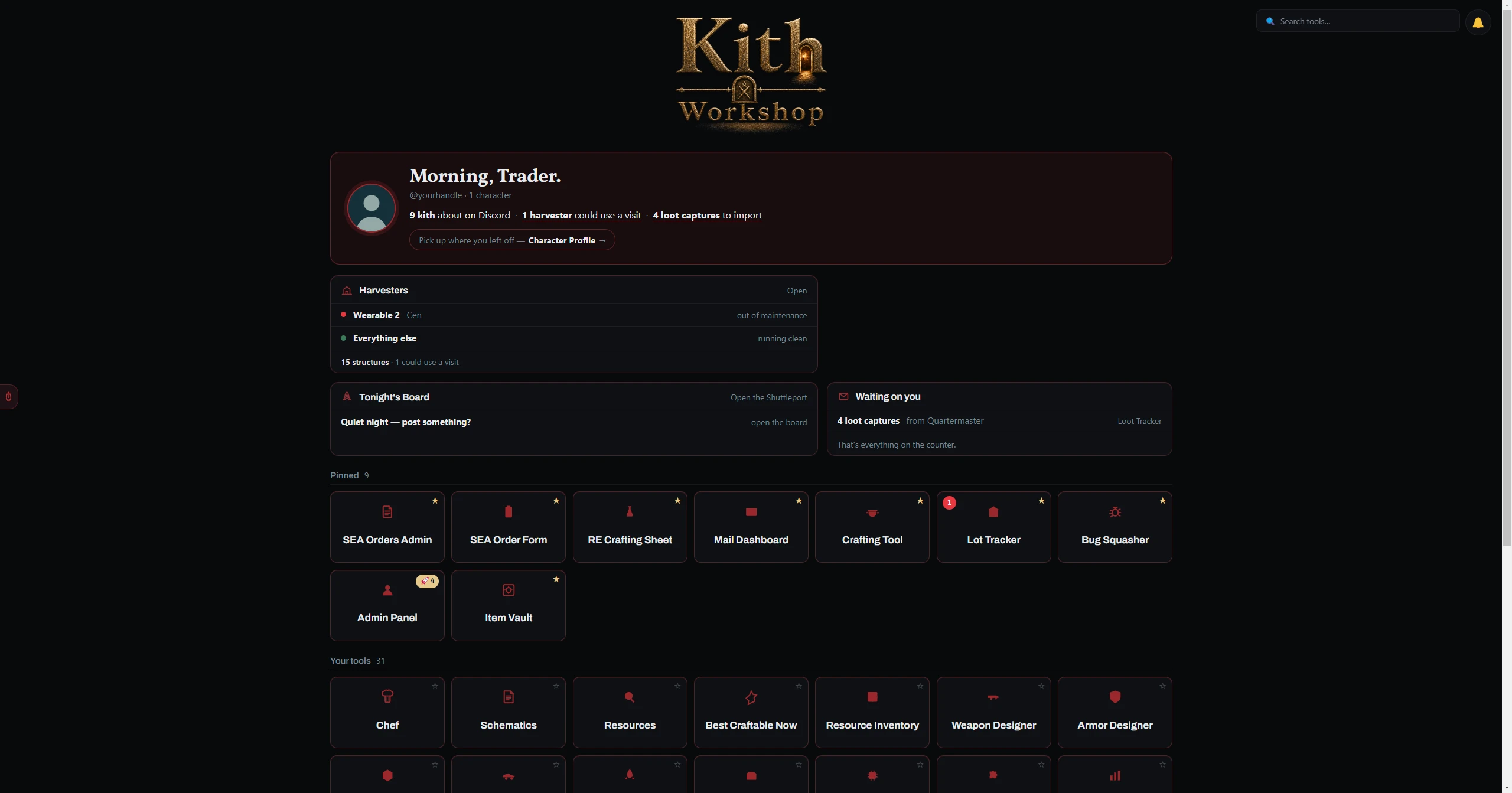
Click any card to open that module. Hover a card to see a short description of what it does. To return Home from any module, click the ← Home button in the top-left corner.
| Control | What it does |
|---|---|
| Search box | Type any part of a tool's name to filter the cards instantly. Press Enter to open the first match. |
| ★ Pin star | Each card has a star in its top corner. Click it to pin that tool to the Favorites row at the top — your pinned order is remembered. Click again to unpin. |
| Category headers | Click a category header (e.g. Crafting, Ships) to collapse or expand that group. Collapsed state is saved per account. |
A theme picker sits in the bottom control row of the Home Screen. Click it to cycle through available themes — the choice is saved automatically and applies across every module.
| Control | What it does |
|---|---|
| Change Password | Opens a modal to set a new password. Enter your current password, then the new one twice, and confirm. |
| Log Out | Signs you out and returns to the login screen. Your data is saved — you will not lose anything. |