The Kith Guide › Character management
🪐 LFG Board
The Shuttleport inside the app, Discord pairing, and the Chat-log Loot Watcher that records drops, boss kills and !stat lines straight from the game.
The LFG Board is the Shuttleport built into the Kith Workshop — the same board, runs, loot and ranks as the website, with no browser needed. Everything in the Shuttleport guide applies here unchanged. What the desktop app adds is on this page: pairing with Discord, and the Chat-log Loot Watcher, which reads the game's own chat log so drops are recorded without anyone typing them.
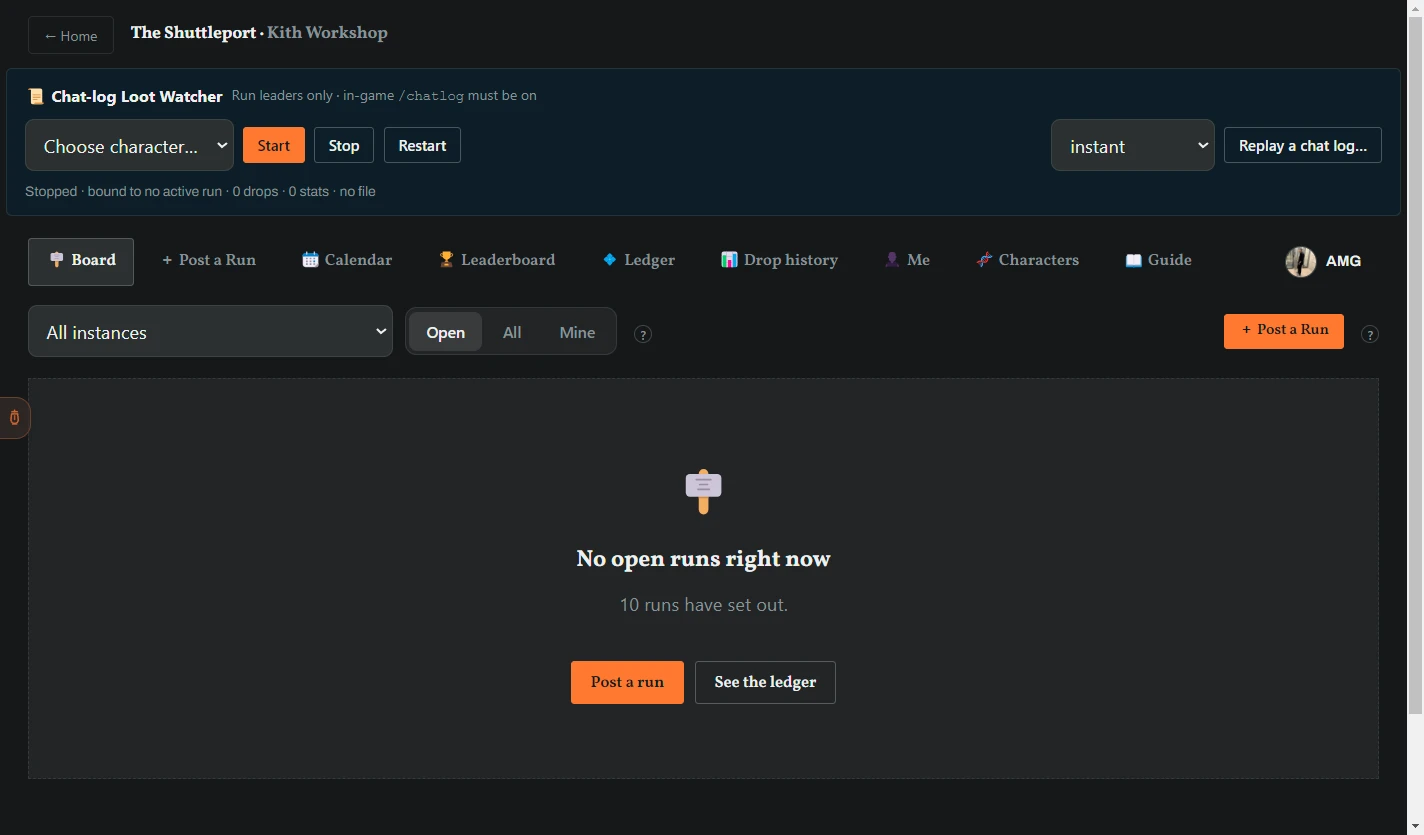
Browsing works without signing in. To take a seat, post a run or see your profile, the app has to know who you are on Discord — it pairs once with a code instead of a browser redirect:
- Click Sign in at the top right of the board. The Link Discord box opens.
- Click Open the LFG site ↗ and sign in there with Discord.
- On the site, under Me or Characters, click Link a desktop app. It shows a pairing code like
XXXX-XXXX. - Type the code into the app and click Link.
The code works once and expires after 10 minutes. Pairing uses the same session as the Character Profile tool — link in either place and every LFG surface in the app is signed in.
The panel at the top of the LFG Board reads your character's chat log and records drops, boss kills and in-game !stat lines on the run you lead. It has its own page in the Shuttleport guide: Chat-log Loot Watcher — preconditions, Start/Stop/Restart, held drops, every message it can show, the !stat grammar, and rehearsing with a replay.
The board, posting, joining, leading, loot, ranks, the ledger, characters and settings are exactly the website's — read The Shuttleport — start here. Two small differences: 📖 Guide in the app's sub-navigation opens this Training Guide, and the ? marks' Learn more links do the same.