The Kith Guide › Character management
🧮 Skill Calculator
Build a profession template inside the 250-point cap and push the stats to the planner.
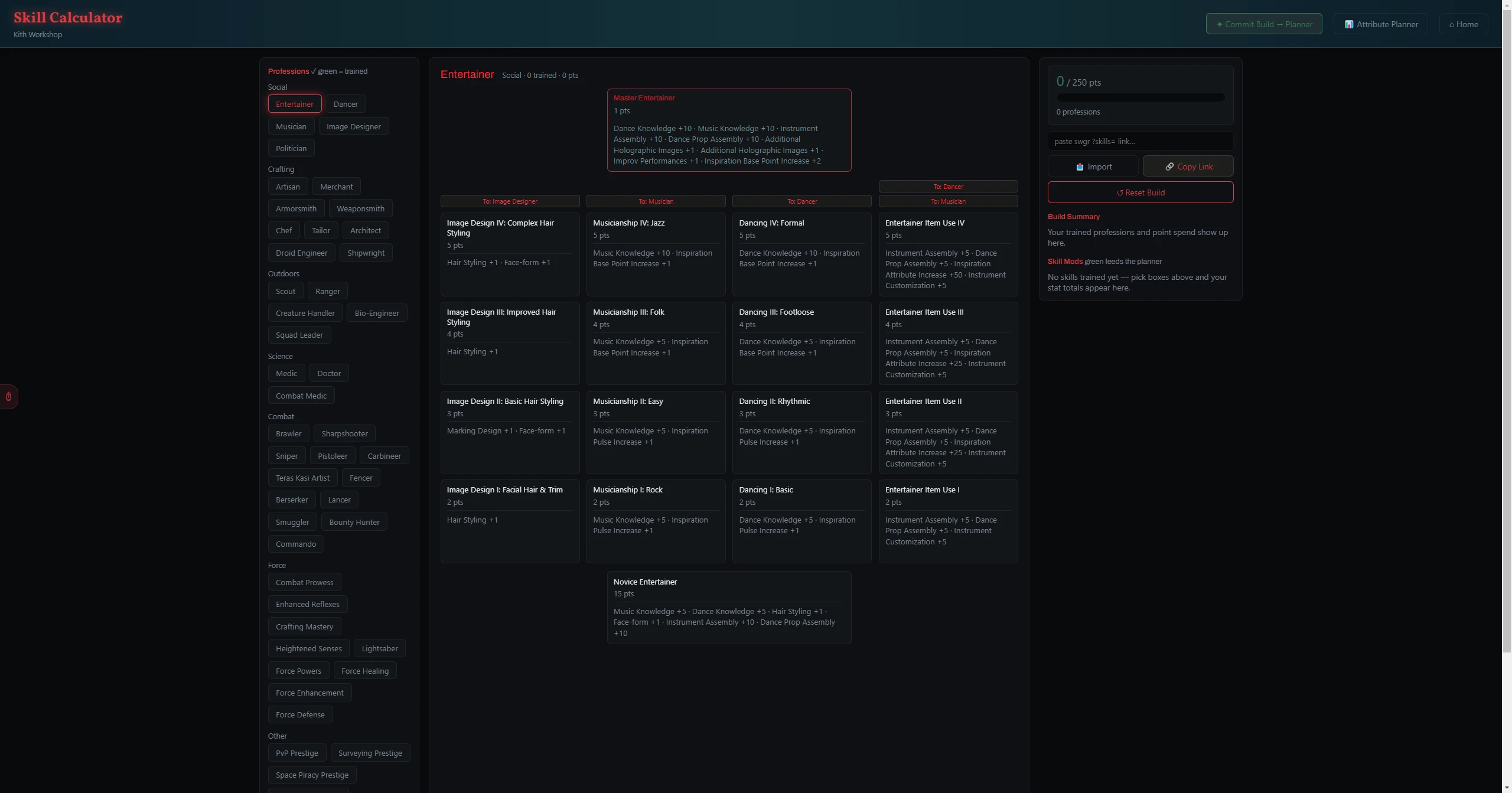
The Skill Calculator is a faithful recreation of the SWG Restoration skill-tree builder. Train boxes across every profession within the 250-point cap — prerequisites fill in automatically — and watch the skill mods they grant add up live. Share links are fully compatible with swgr.org, and when your build is set you can commit its skill-granted stats straight into the Attribute Planner.
Building a Skill Set
- In the Professions panel, click a profession to open its tree — trained professions show a green ✓.
- In the Skill Tree panel, click a box to train it; prerequisites fill in automatically. Click a trained box again to drop it (and anything that depended on it).
- The points row at the top tracks X / 250 pts with a fill bar and a profession count. Going over the cap flags the build.
- Mix as many professions as you like — every trained box across all of them counts against the single 250-point pool.
Reading the Results
| Panel | What it shows |
|---|---|
| Skill Mods | Every stat modifier summed from your trained boxes. Cells shown in green map directly to Attribute Planner stats (e.g. Toughness Boost, Endurance Boost) and feed it on Commit. |
| Build Summary | Each trained profession with its box count and point spend, plus a running total against the 250 cap. |
Sharing, Importing & Committing
| Button | What it does |
|---|---|
| 🔗 Copy Link | Copies an swgr.org-compatible ?skills= link for your current build — paste it anywhere or open it on swgr.org. |
| 📥 Import | Loads a build from a pasted swgr.org link or ?skills= code — paste it into the import box at the top, then click Import. |
| ✦ Commit Build → Planner | Pushes your skill-granted stats into the Attribute Planner so they fold into your effective-attribute totals. |
| 📊 Attribute Planner | Jumps straight to the Attribute Planner. |
| ↺ Reset Build | Clears the entire build back to zero points. |
Tip: Because the share links match swgr.org exactly, you can plan a build there and paste its link here to import it — or build it here and open it on swgr.org with 🔗 Copy Link.